
by rumcake
Kronos 3 Editor
A fast editor and librarian for the Korg Kronos 1, 2, or 3.
Edit your programs and combinations, and organise your library, on one screen.
For macOS, now on Windows in early access, and on iPad and iPhone.
One-time purchase. License key delivered instantly by email.
No subscription.
Also for iPad and iPhone: get it on the App Store
The product
Editorial respect for the Kronos.
Kronos 3 Editor talks to your Kronos over USB-MIDI using Korg's own SysEx protocol, with no extra hardware. Edit programs and combinations with everything laid out at once, organise and back up your banks, and never lose a sound to a touchscreen menu again. Read-first and safe: it reads and verifies before it ever writes.
Full on-screen editing
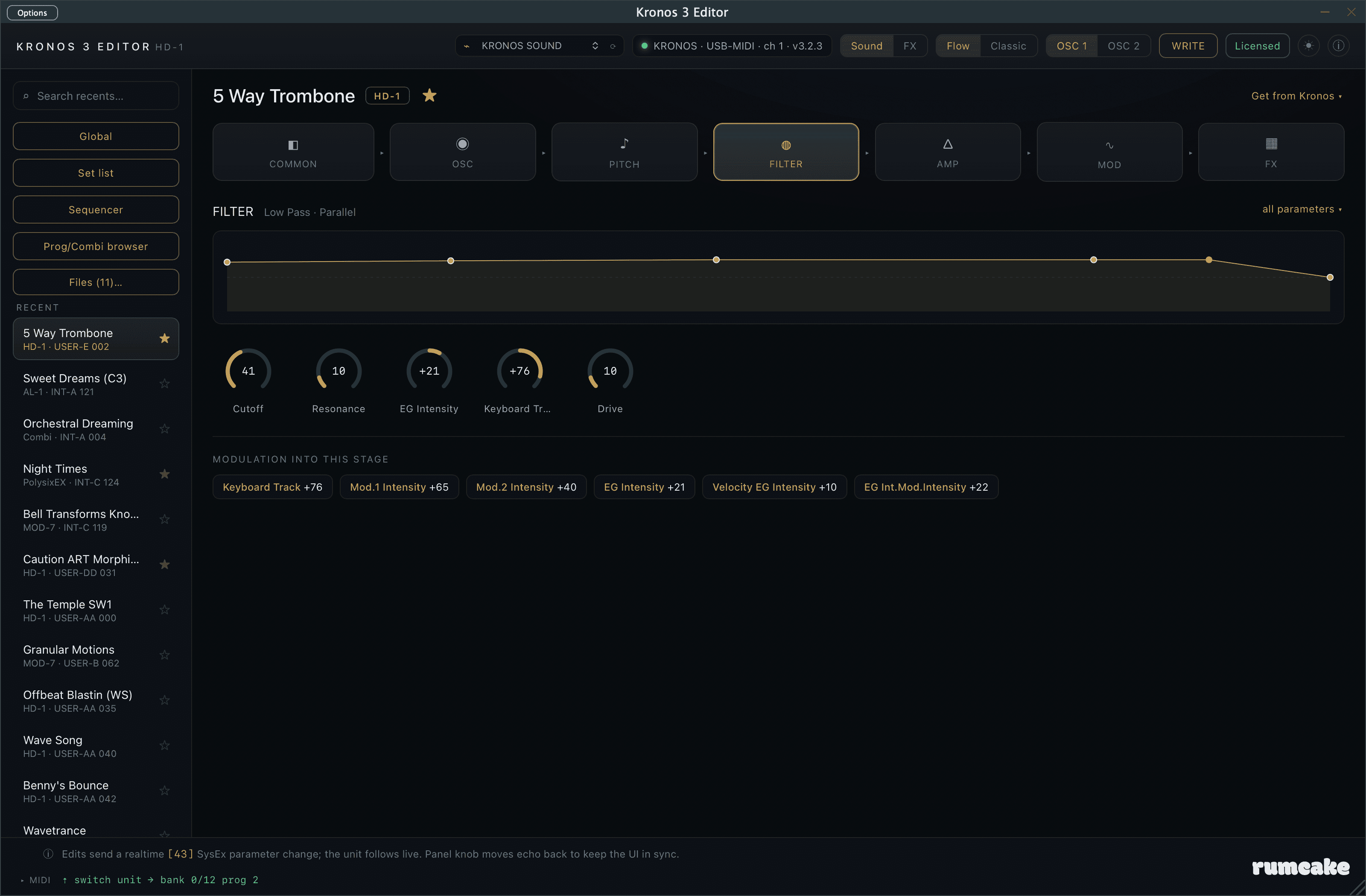
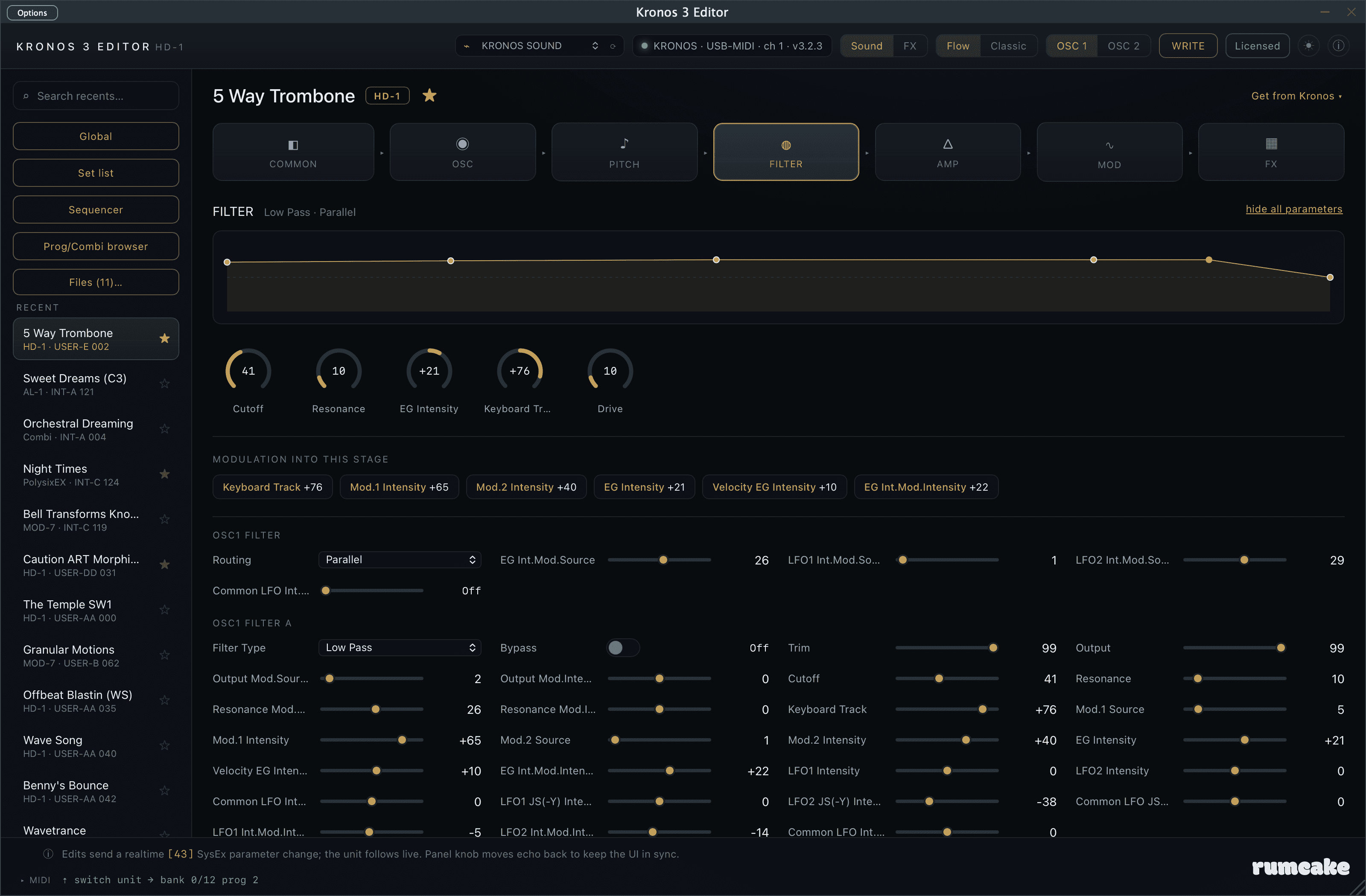
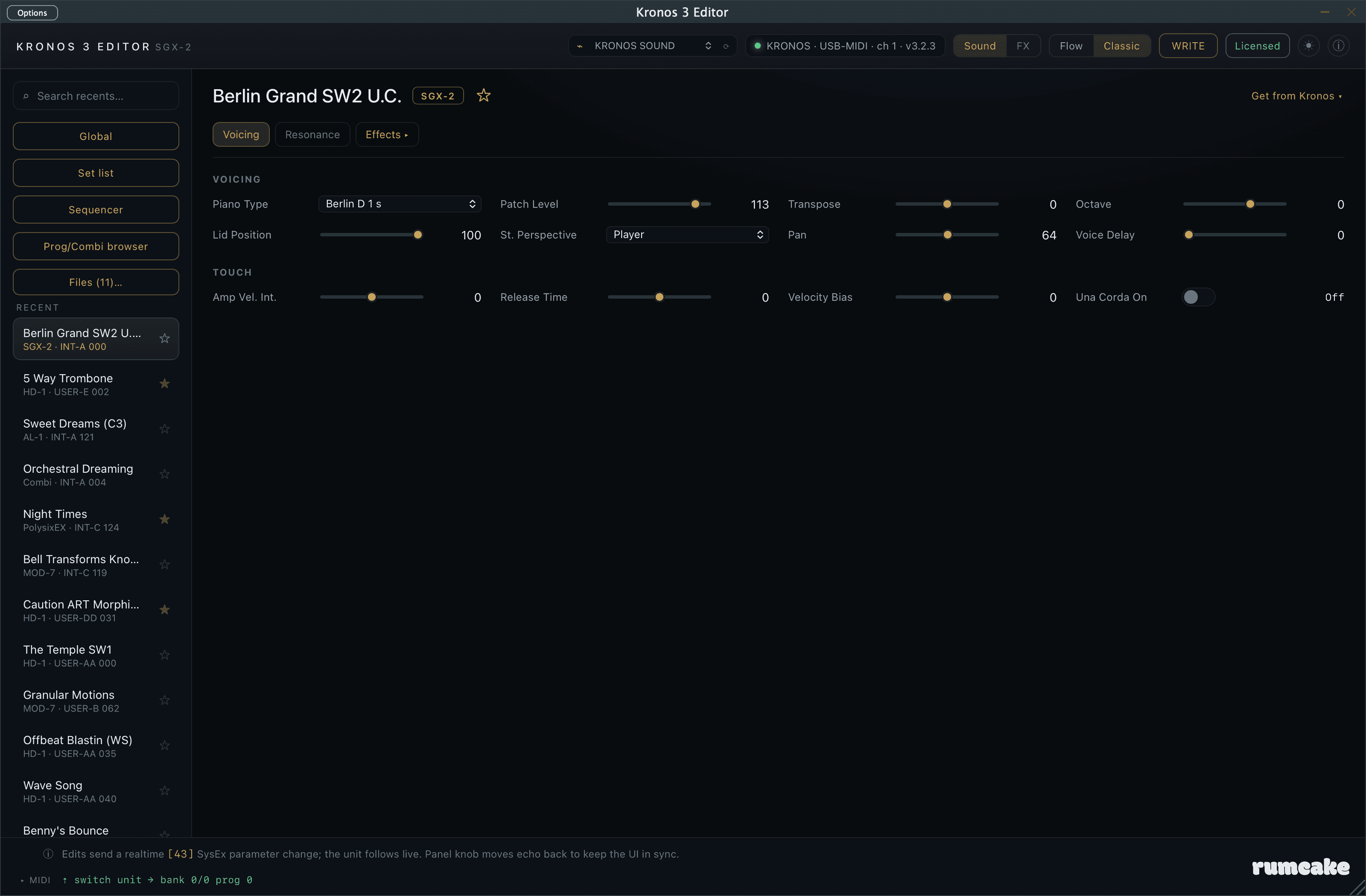
Every parameter of a Program on one deep, fast panel (oscillators, filters, effects, and routing), across all nine Kronos engines, instead of paging through the hardware's screen. Edits round-trip to the Kronos live. A setting shows every parameter name in full, on its own line above its control.
Combination editor
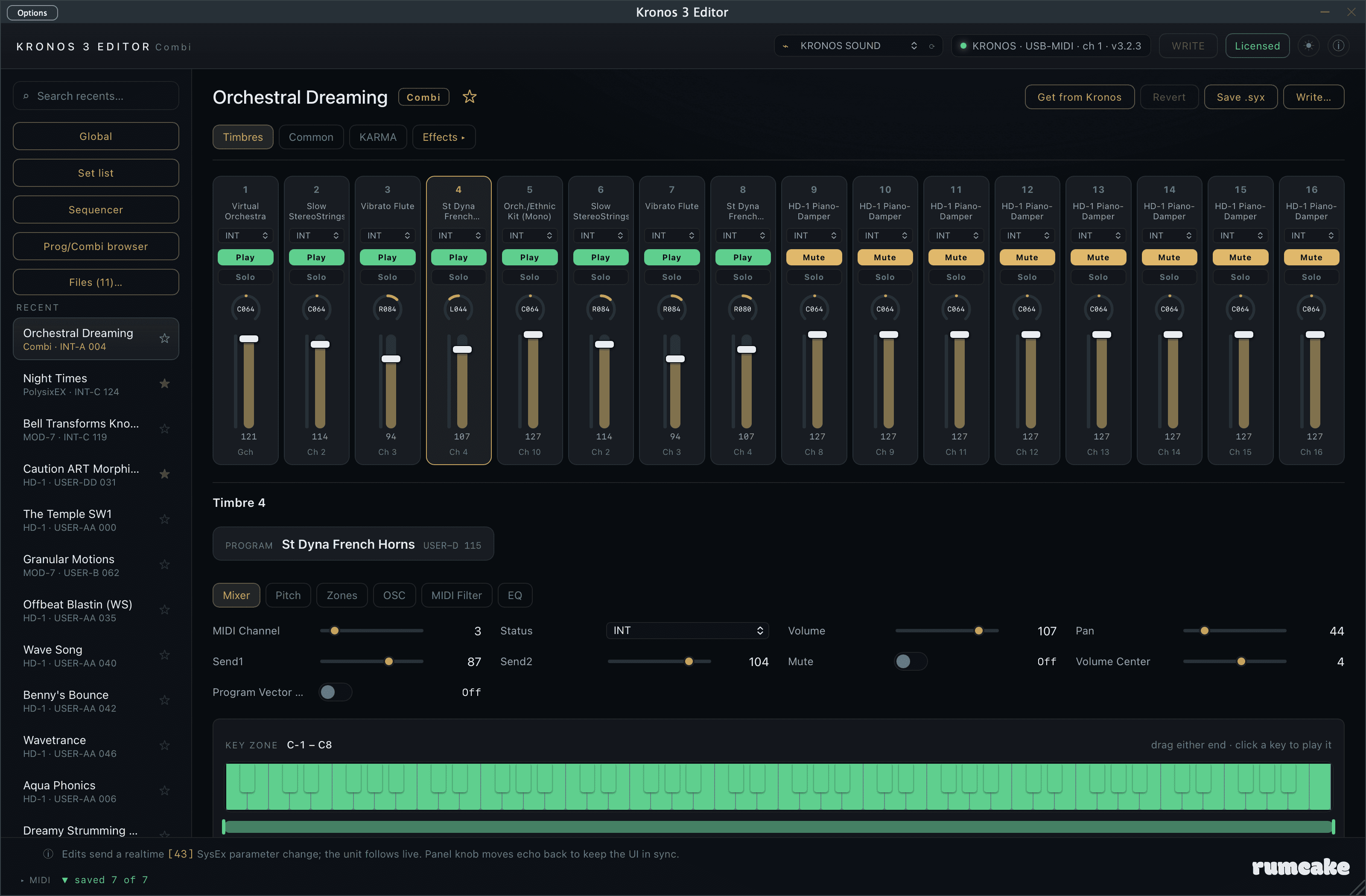
Open any combination and shape all 16 timbres on a mixing-desk layout: program, status, Play/Mute, Solo, pan, volume, and an activity meter per timbre, with each timbre's key and velocity zones on an 88-note keyboard that lights as you play. Edit its Vector, controllers and scale, and its effects live, then Store the whole combi back to a USER slot with the same read-back-verified write as programs.
Prog/Combi browser
Find any sound from one window: browse and switch every Program and Combination, filter the whole Kronos by category just like its Category Select (with your own renamed categories), and see programs and combinations side by side in one list. It follows the hardware dial in Program and Combi mode, favourites for both are written safely back to the unit, and the browser widens with the window so a whole bank fits on a big display.
Set lists, your way
Build and rearrange a whole show, colour and comment every slot, then Write it back to the instrument. Build one list out of others: pick the slots you want from any other set list and insert or append them, label, colour and comment intact. See a set list as a full-width list or in a 4x4 grid that matches the Kronos's own paged view. A light theme with a per-project dark/light switch, and recall-on-open that puts the Kronos back on the right sound when a DAW project loads.
Librarian, backup & formats
Pull whole banks off the unit, search and rename sounds, mark favourites, and keep unlimited libraries on your computer as .syx files (a combination .syx reopens in the combination editor). Save in bulk: tick the sounds you want, or a whole bank, choose a folder once, and get one file per patch, named for the slot it came from. Load a folder back the same way, review every slot against what is there now, and write a whole bank in one guarded run. Saving a combination can bring the programs it uses, and writing combinations after their programs offers to point every timbre at where its program landed, so a library moves between banks, or between instruments, and still plays the right sounds. Runs as an Audio Unit, a VST3, and a standalone app.
Global, drum kits, wave sequences and the sequencer
Edit your Kronos's Global settings from the plug-in: tuning, MIDI, pedals, scales, memory protect and category names, 720 settings across six pages, every one a draft until you press Write, with the three settings that would cut the editor's own connection flagged before anything is sent. Drum kits get the 128 keys as a note picker with eight velocity zones per note; wave sequences get a 64-step grid. Sequencer parameters, the metronome, 16 MIDI tracks and a 16-track mixer are editable too (parameters, not recorded note data).
Put sounds back where they came from
Write a folder of saved sounds back to their original locations: each file returns to the bank and slot in its name, across as many banks as it takes. It is the way to restore tweaked factory programs, or edited sounds scattered through several banks, that your combinations expect to find at their usual addresses. You see every slot and what it holds now before anything is sent, and it will not guess: a file with no address, two files from the same slot, or a program of the wrong type for its bank is listed with the reason and left unwritten. Factory (INT) banks are only written when you tick the box that says so.
Know what a program is used by before you change it
Where used reads every combination once and marks each program in the browser with how many combinations play it; click a mark for the list, with the timbres in each. Rename a program or combination where it sits: only the name is written, and everything that uses the slot is unaffected. Initialise slots back to the Kronos's own Init Program or Init Combi, with every slot listed before you confirm. Where used covers combinations; set lists and sequencer songs are not checked.
Now on iOS
Now on iPad and iPhone.
The editor, native on iOS: edit programs across all nine engines in Flow or Classic view, shape effects with all 16 slots on screen, build and store set lists, and browse and back up your library as standard .syx files, over USB or network MIDI. Sit an iPad on the Kronos and it becomes the second screen the hardware always deserved.
Sold separately on the App Store. The macOS and Windows app and its license are unchanged; the iOS app is its own purchase through Apple.
Inside the editor
Built around how you actually work.
A read-first design that observes and verifies before it transmits, so it is safe on a real instrument. It edits Programs across all nine engines and every program's effect chain, edits Combinations (all 16 timbres, their zones, Common settings and effects), edits and stores set lists, manages and backs up your library in bulk, edits Global settings, drum kits, wave sequences and sequencer parameters, and browses and switches both Programs and Combinations from one window. Within a combination, KARMA, the Drum Track and audio-input routing are not editable yet, and the sequencer edits parameters rather than recorded note data. More may follow in future updates, shaped by what players ask for.
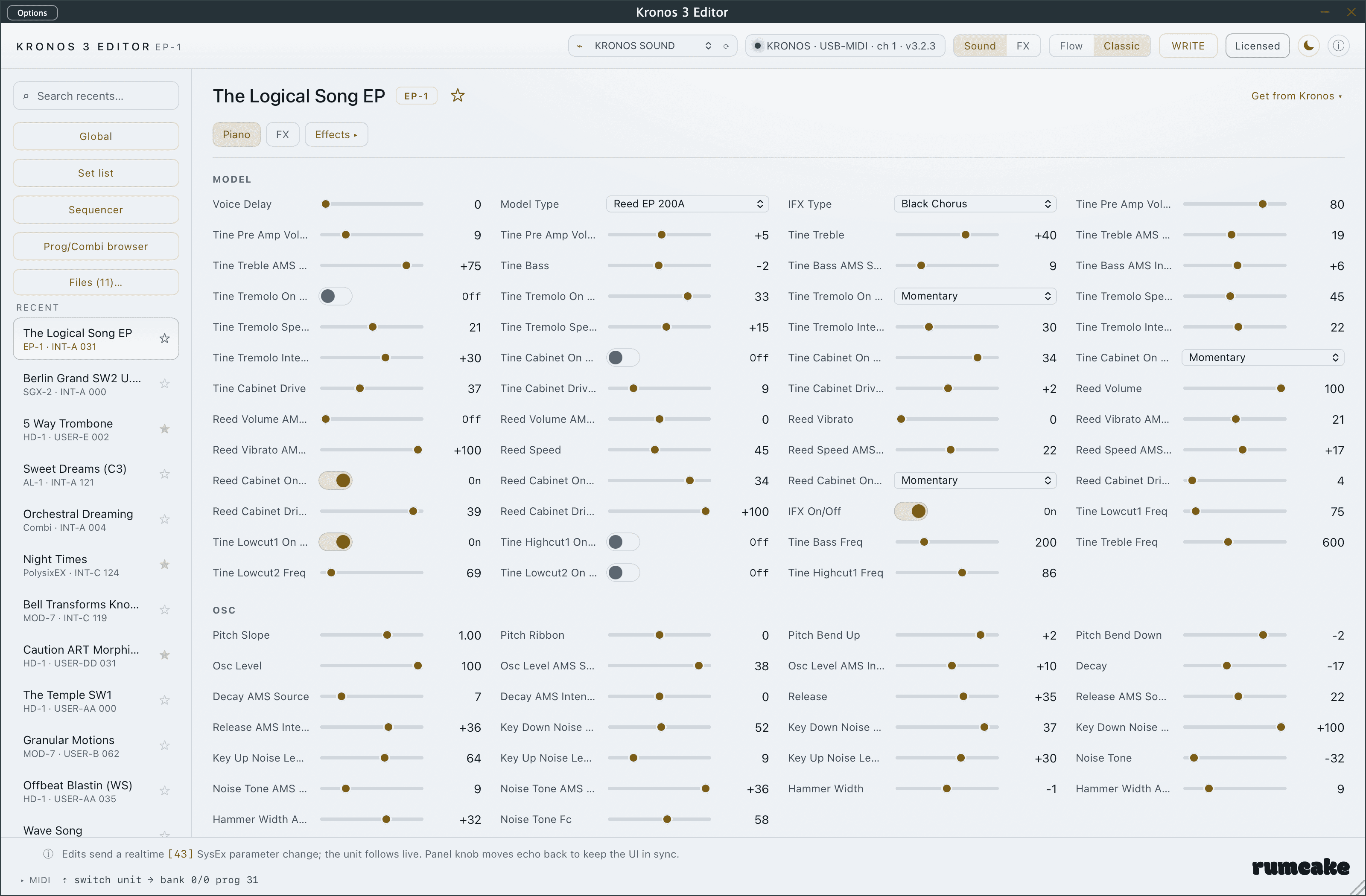
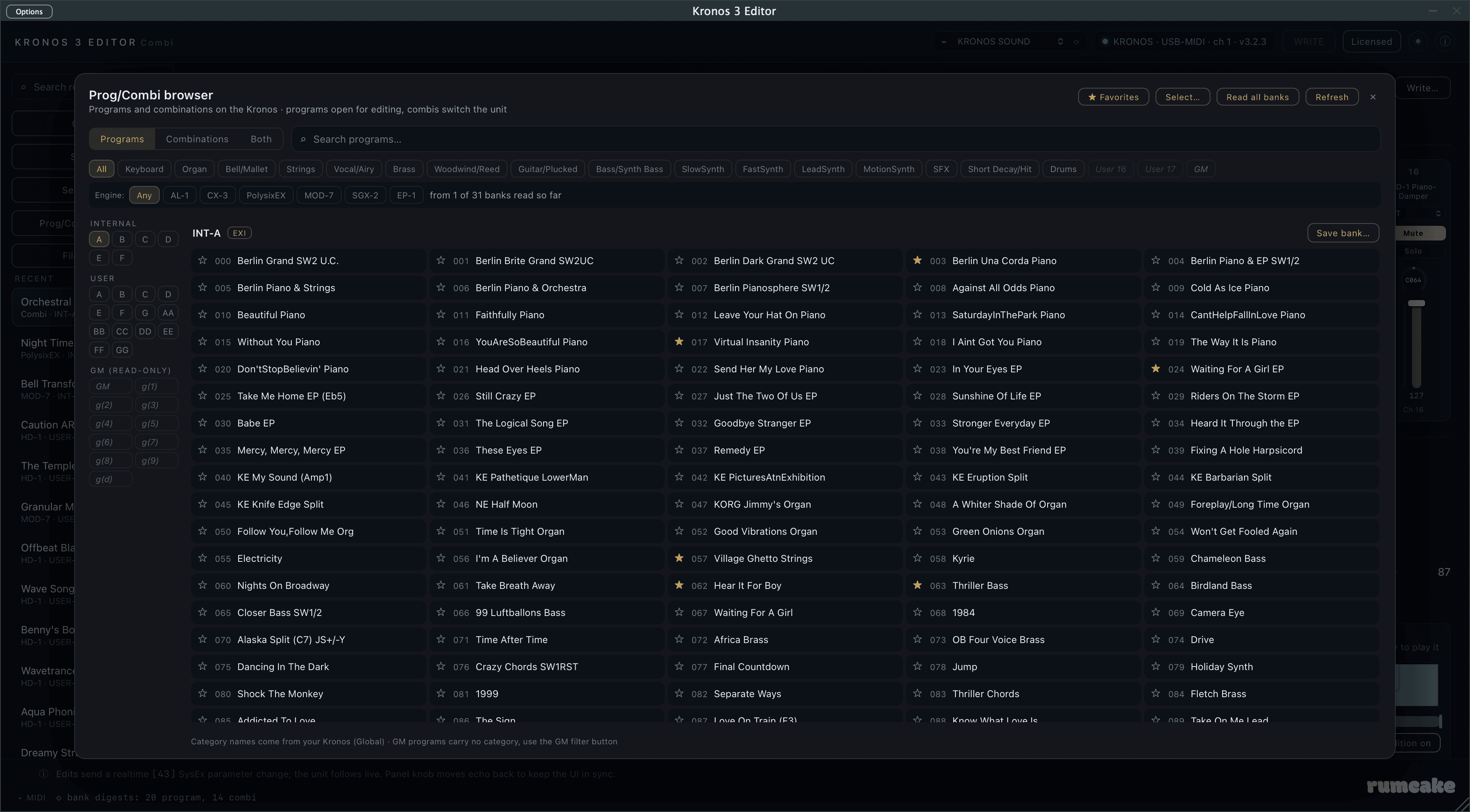
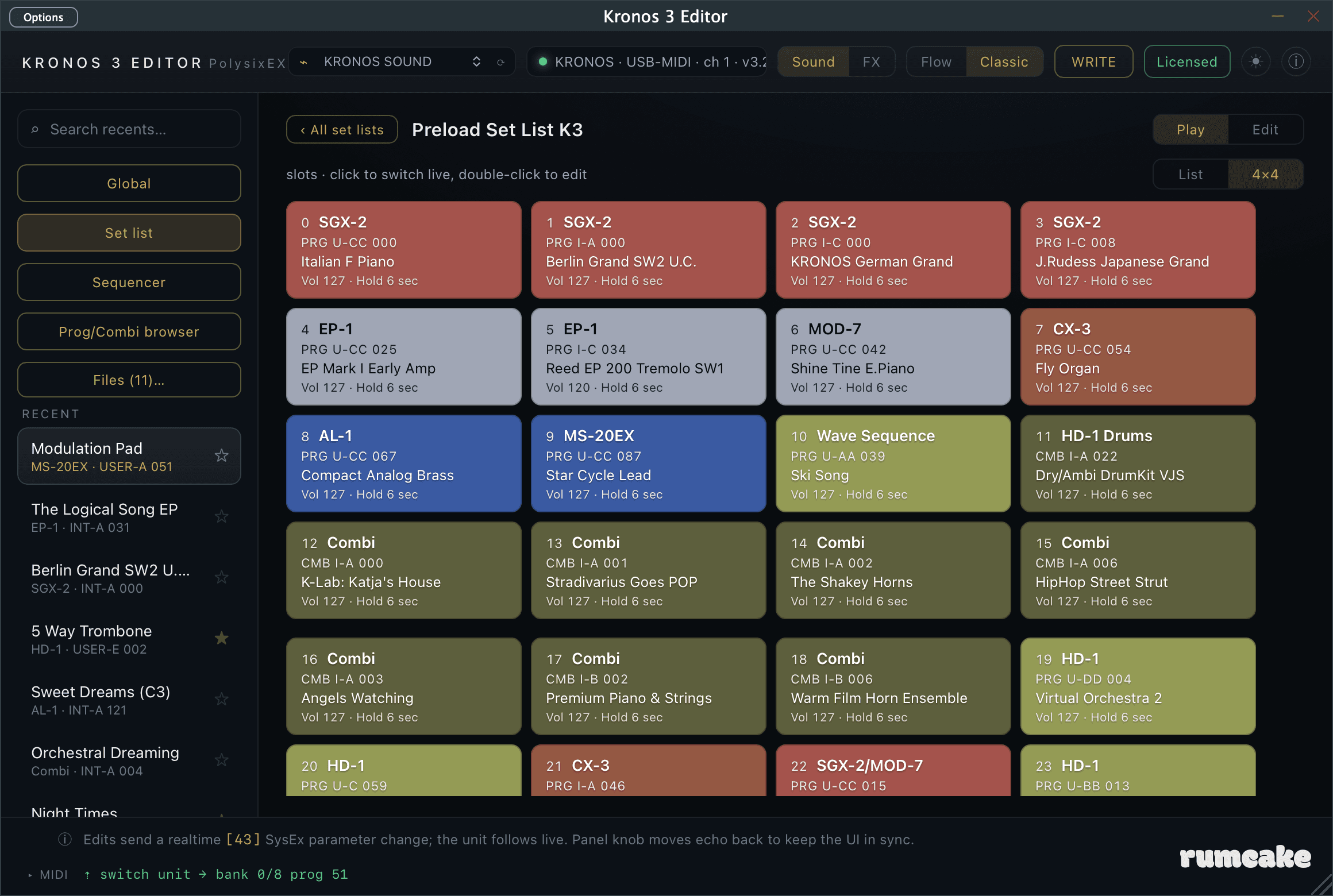
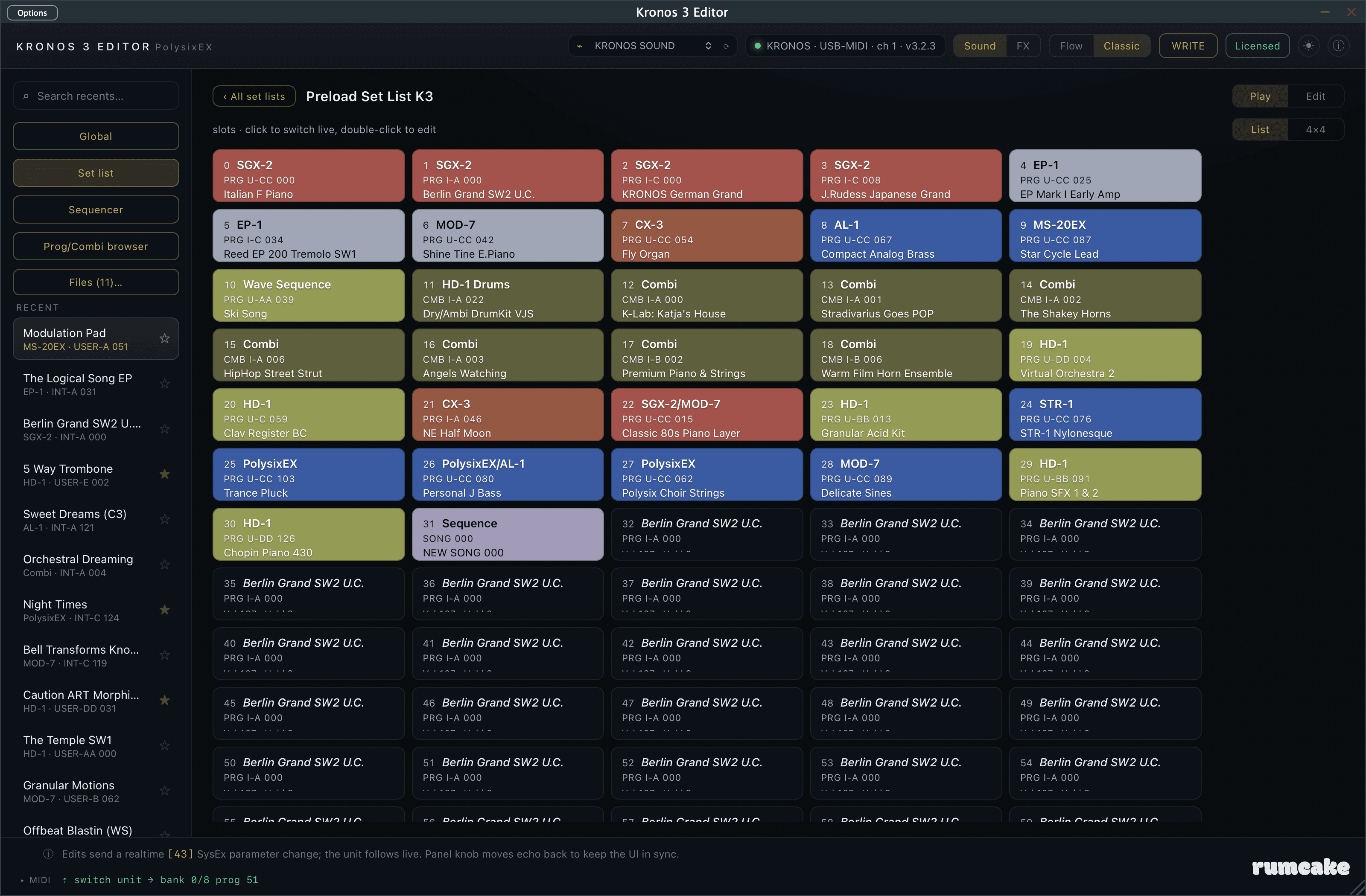
Want to see it on your own Kronos? Download and install the editor, and it runs as a fully functional 7-day trial, with editing and writes to your Kronos enabled. After 7 days it drops to read-only (you can still connect, pull, and browse) until you activate with your license key. One license covers two computers, Mac or Windows PC.
Buy
Kronos 3 Editor
£69
One-time purchase. Free updates to this version. License key by email.
One-time purchase. License key delivered instantly by email.
No subscription.
Or download the free trial first
On iPad or iPhone? Get it on the App Store
No refunds on serialised software. By purchasing you agree to the terms of service. Contact contact@rumcakerecords.com for support.
More from rumcake
The physics collection
Or get every physics plugin in one purchase: The rumcake rack — £89.